L O A D I N G
April, 2024

Kiosco CSI

Role/Services
Designed
Client
Onexpo Nacional, Designed at PROINTERNET
Category & Year
UI/UX ©2024
Posada de Tampico - Cover
Project Overview

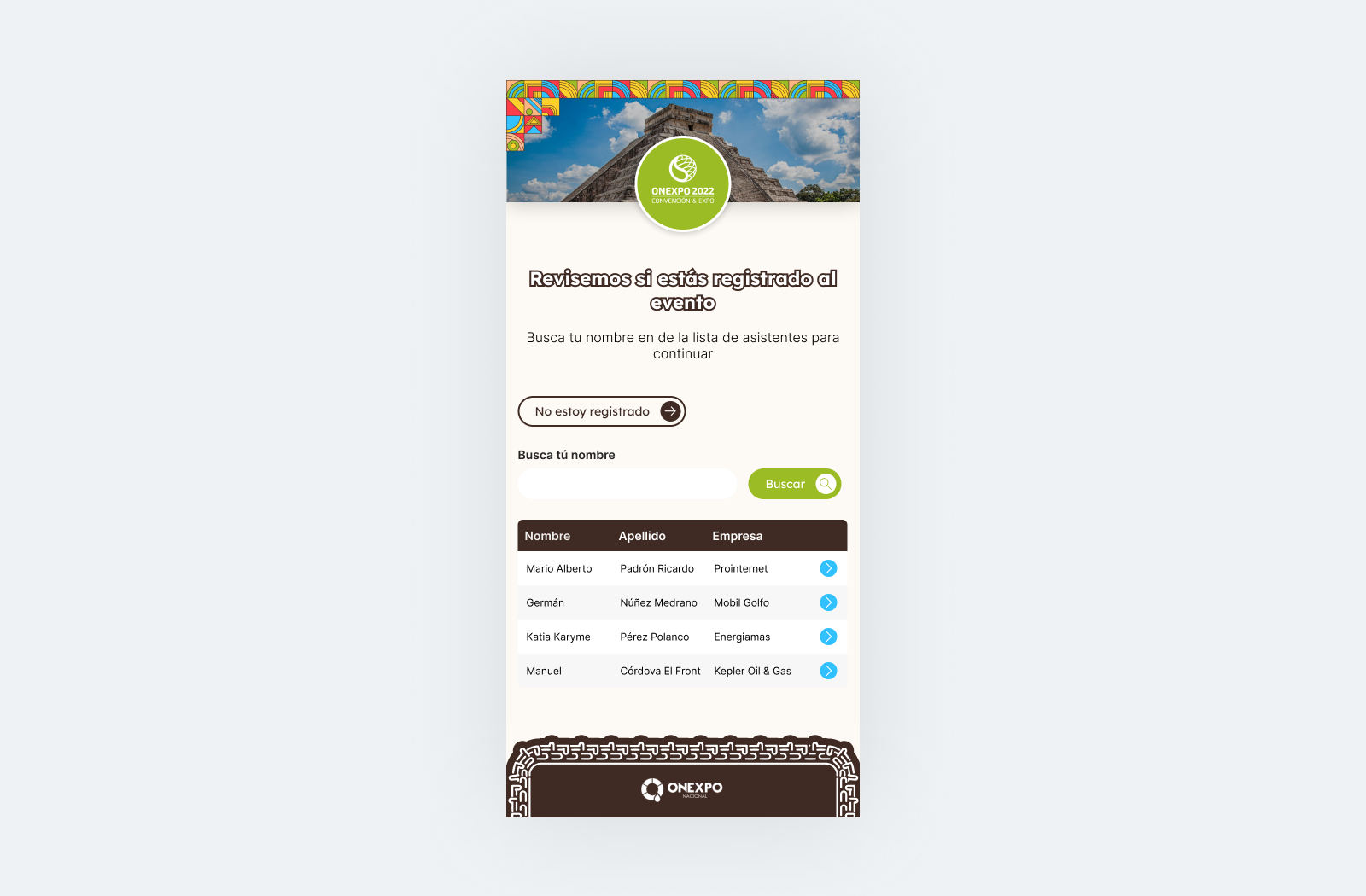
Kiosco CSI is a self-service check-in kiosk designed for large event registration, replacing a single manual registration table that caused long lines and delays granting attendees access to the event. I designed the UI/UX for this self-service flow.
Problem
The event previously relied on a single manual registration table, creating long lines and significant delays before attendees could access the event. A faster, self-service way to check in was needed, one that could handle both attendees who had already registered and those who hadn't, without creating a new bottleneck of its own.
Goals
  • Eliminate the bottleneck caused by a single manual registration table
  • Support both pre-registered attendees and walk-ins within the same self-service flow
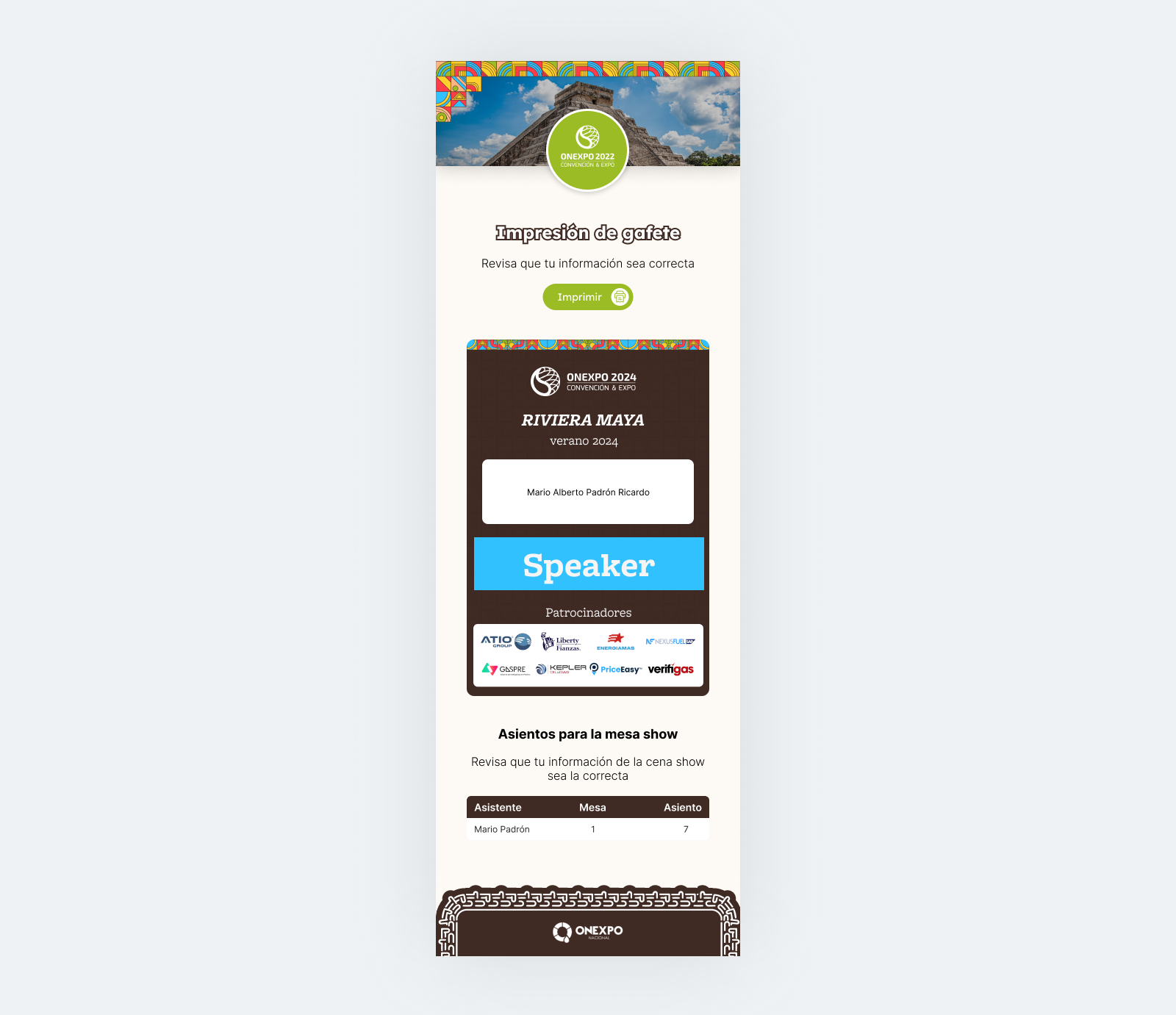
  • Print a badge on the spot to speed up physical access to the event
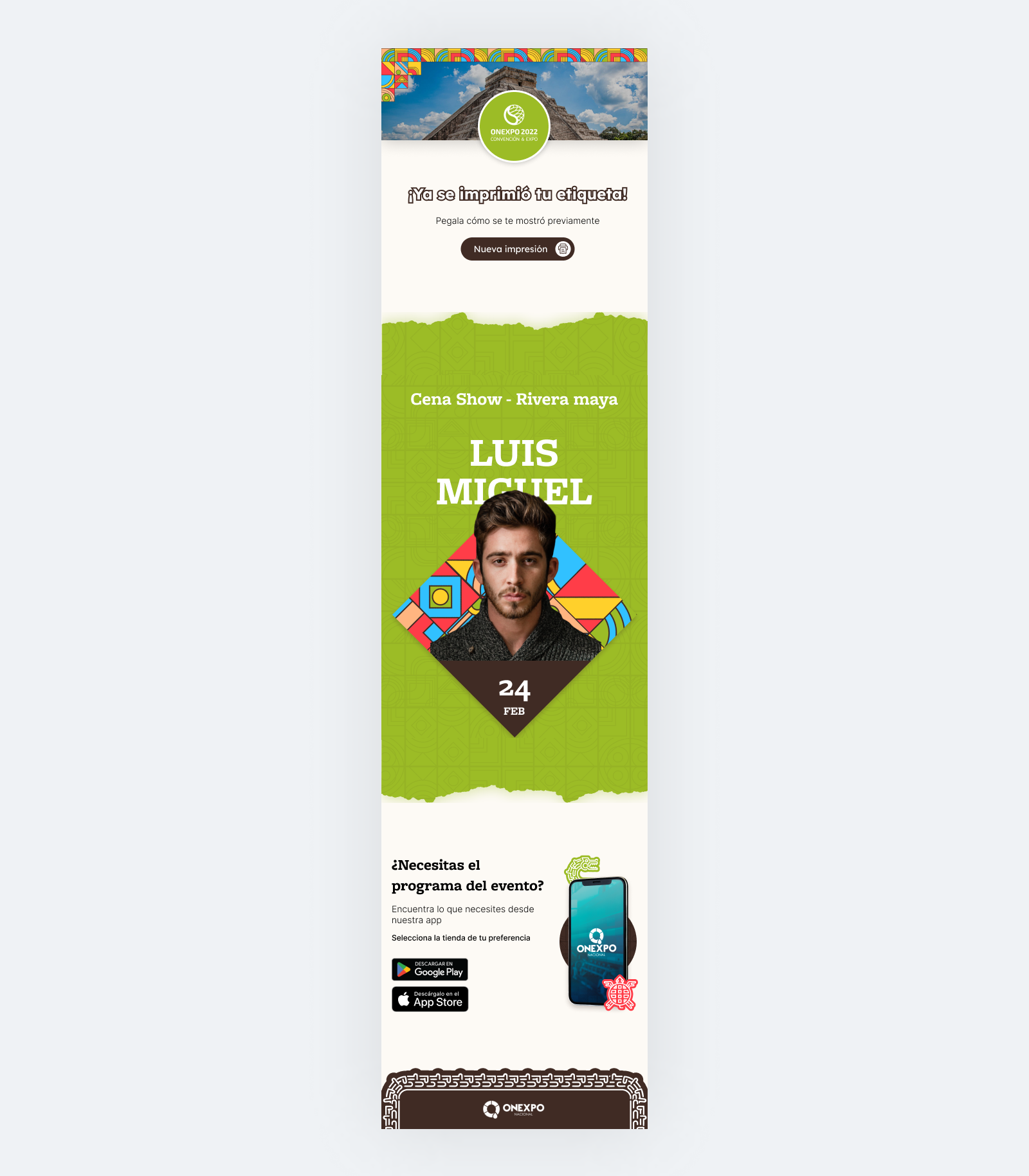
  • Provide attendees with relevant event information (seat assignment for the dinner show, app download) as part of the same interaction
Key insights
  • A single check-in path doesn't work when some attendees are pre-registered and others aren't, the flow needed to branch immediately based on whether a QR code was available, rather than forcing everyone through the same steps
  • Reducing wait time wasn't just about speed of scanning, it also meant handling the walk-in registration path (filling out details on the spot) without that becoming a new source of delay
  • Printing the badge and surfacing next-step information (seat assignment, app download) in the same interaction meant attendees left the kiosk fully prepared, without needing a second stop elsewhere
User profile
Primary users are event attendees checking in, split into two groups with different needs: those with a pre-registered QR code, needing a fast scan-and-print flow, and walk-ins without one, needing a quick on-the-spot registration path before reaching the same badge printing step.
Main user flow

For pre-registered attendees:

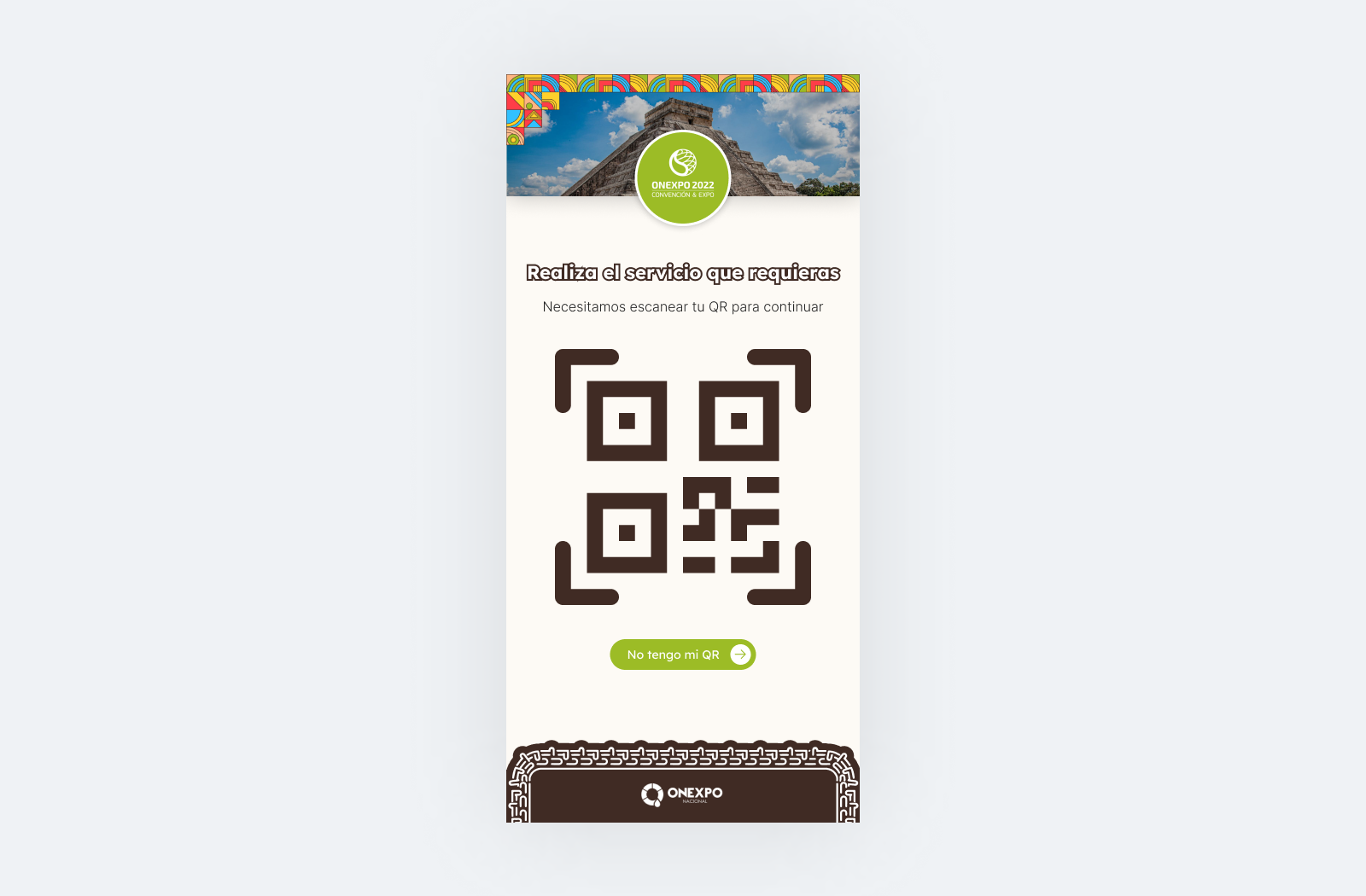
  1. Scan their QR code
  2. Receive their printed badge along with seat assignment and app information
  3. Proceed directly into the event

For walk-ins::

  1. Indicate they aren't pre-registered
  2. Complete a quick on-the-spot registration form
  3. Receive their printed badge along with seat assignment and app information
UX & UI decisions
  • Two distinct entry paths (QR scan vs. walk-in registration) surfaced immediately, avoiding a single generic flow that would slow down pre-registered attendees
  • On-the-spot badge printing to eliminate the wait associated with manual registration
  • Seat assignment and app download information delivered within the same interaction, reducing the need for a separate stop
  • Interface designed for fast, low-friction self-service use in a high-traffic event environment
Outcome
The kiosk replaced a single manual registration table with a self-service flow built specifically to reduce the friction and wait times attendees previously experienced, branching immediately based on whether an attendee was pre-registered or needed to register on the spot. No post-launch results or feedback are available for this project at this time.
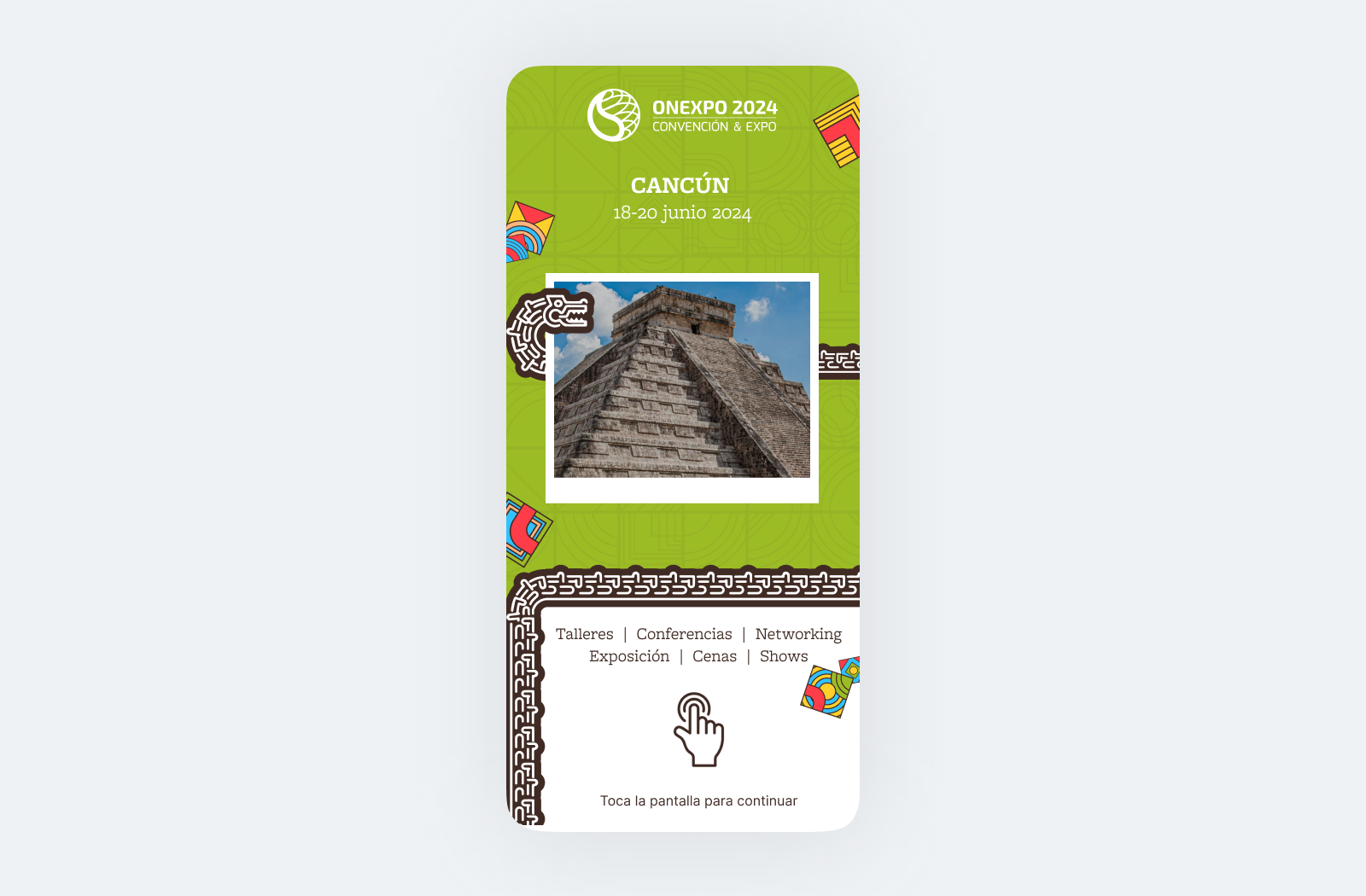
Kiosko CSI - Cover
Kiosko CSI - QR
Kiosko CSI - No QR
Kiosko CSI - Carnet
Kiosko CSI - Resume

Let's Build Something

Extraordinary Get In Touch!